5 Tested Ways Livestock Management Software Will Actually Transform Your Farm Operations by 2026
Discover how livestock management software streamlines farm operations for 2026 success.
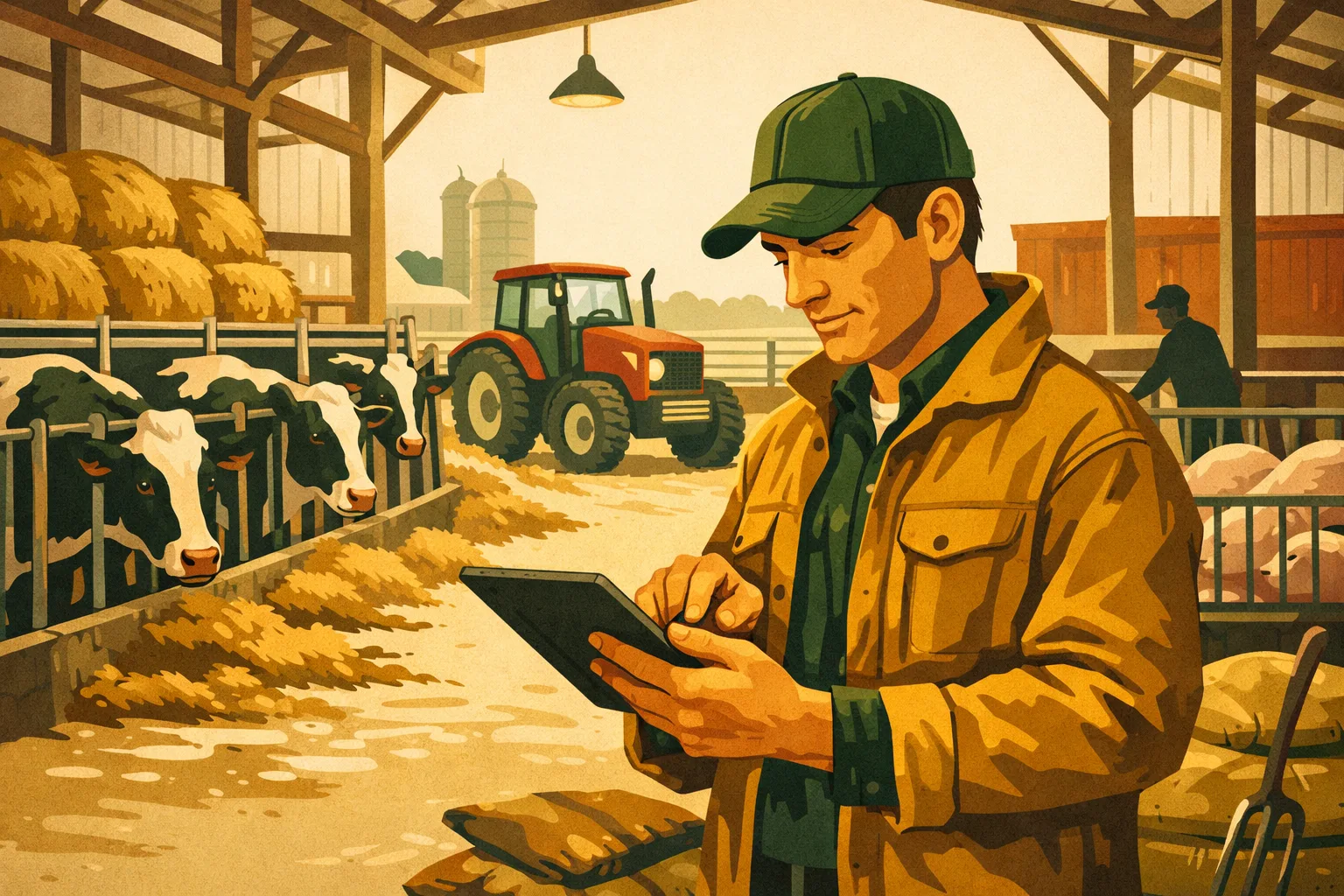
A livestock operation can look organized from the road and still leak time, money, and performance through the smallest gaps: a missed treatment record, a late breeding check, a feed change that never gets tied back to gain, or inventory counts that only one person really understands. At commercial scale, those gaps compound fast. The right digital system does not replace stockmanship, but it does make good management easier to repeat across crews, barns, pastures, and seasons.
Livestock management software gives farm operators one working system for animals, tasks, records, inventory, compliance, and decisions. For farms running 50 to 5,000+ acres, the value is not “going paperless” for its own sake. The value is having accurate information available when a manager, veterinarian, lender, buyer, auditor, or employee needs it.
Below are five practical ways livestock management software can improve productivity, reduce avoidable losses, and give managers tighter control heading into 2026.
Why Livestock Management Software Matters at Commercial Scale
Livestock production has always relied on records. The difference now is speed, traceability, and accountability.
Paper notebooks, whiteboards, spreadsheets, and memory can work when one owner handles every animal every day. They start breaking down when operations add employees, multiple sites, rotational grazing, custom feeding, contract animals, breeding groups, regulatory pressure, or direct-to-buyer sales.
Commercial operators need a system that can answer questions like:
- Which animals are due for vaccination, pregnancy check, hoof trimming, or culling review?
- Which groups are underperforming against feed input?
- What withdrawal dates are still active?
- Which pasture, pen, or barn is carrying which group today?
- What did we treat, when, why, with what product, and who administered it?
- What inventory is on hand before the next delivery?
- Which animals or lots are ready for shipment, breeding, or sale?
Livestock management software centralizes those answers. Instead of building decisions from scattered notes, managers can act from current records.
For more farm technology planning, see the FarmsFlo software category and related farm operations resources at FarmsFlo.org.
1. Turn Animal Records Into Daily Management Tools
Most farms already collect some animal information. The problem is that records often sit in different places: calving books, treatment sheets, feed logs, vet invoices, breeding charts, spreadsheets, and employee text messages.
Livestock management software turns those scattered details into a working animal history.
What Better Animal Records Look Like
At a commercial level, animal records should include more than ID and birth date. Useful livestock records may include:
- Permanent animal ID, visual tag, EID/RFID, tattoo, or brand
- Birth, purchase, transfer, or arrival date
- Breed, sire, dam, source, and genetics
- Weight history and performance notes
- Health treatments and withdrawal periods
- Breeding, pregnancy, calving, lambing, farrowing, or kidding records
- Movement history by pasture, pen, barn, or lot
- Feed group history
- Culling reason, sale date, death loss, or disposal notes
- Certifications or program requirements
The software becomes more valuable when records are updated at the point of work. For example, if a crew processes cattle through a chute, scans EID tags, records weights, assigns vaccines, and logs treatments on a tablet, the manager does not have to wait for someone to re-enter handwritten notes later.
Practical Outcomes for Farm Managers
Better animal records support practical decisions:
- Faster culling reviews: Identify animals with repeated health events, poor fertility, low weaning performance, or weak production history.
- Cleaner replacement selection: Compare dams, offspring, breeding records, and growth history before keeping replacements.
- Stronger treatment accountability: Know exactly which animals received which product and when withdrawal periods clear.
- Reduced duplicate work: Avoid weighing, checking, or treating animals unnecessarily because the last action was not visible.
- Easier buyer and vet communication: Provide records without digging through boxes or spreadsheets.
For dairy, beef, sheep, goat, swine, poultry, and mixed livestock operations, the same principle applies: individual or group records must be easy enough to update during real work.
Implementation Cost and Time Estimate
Actual cost depends on herd size, modules, hardware, integrations, and support needs. For planning purposes, commercial farms should budget for:
- Software setup: 4–20 hours for basic configuration; more for multi-site or multi-species operations
- Data cleanup and import: 8–40+ hours depending on record quality
- Employee training: 2–6 hours per user group
- Hardware: Tablets, phones, RFID readers, scales, label printers, or chute-side mounts as needed
- Ongoing admin time: 1–3 hours per week for review and correction on smaller operations; more for large multi-site farms
The largest hidden cost is poor data discipline. A software platform only improves decisions if the farm commits to entering accurate records consistently.
2. Improve Health, Treatment, and Compliance Control
Animal health records are one of the strongest reasons to adopt livestock management software. Health events require timing, accuracy, and traceability. Missing one step can lead to treatment failures, residue risk, buyer issues, or audit problems.
Replace Loose Treatment Sheets With Controlled Workflows
A strong digital health workflow should allow employees to record:
- Animal or group ID
- Date and time of treatment
- Diagnosis or reason
- Product used
- Dosage
- Route of administration
- Lot number, if required
- Person responsible
- Treatment protocol
- Retreat date, if needed
- Meat or milk withdrawal date
- Veterinarian notes or approvals
This matters because treatment records are not just historical notes. They drive future action. The system should create alerts for retreatments, withdrawal clearance, and animals needing follow-up.
For operations under quality assurance programs, branded supply chains, organic rules, export requirements, or processor audits, software can reduce the scramble of proving what happened months earlier.
Support Better Veterinary Decisions
Livestock management software also improves the quality of conversations with veterinarians. Instead of saying “we’ve had more respiratory trouble lately,” managers can review:
- Cases by pen, pasture, barn, source, or age group
- Treatment response by protocol
- Repeat treatment rates by group
- Timing of cases after arrival, weather events, or weaning
- Product usage over time
- Mortality or removal reasons
That level of recordkeeping helps the vet refine protocols and helps managers separate one-time problems from patterns.
Reduce Product Waste and Inventory Mistakes
Health modules often connect treatment records with inventory. When a bottle is used, inventory can be reduced automatically or through a quick adjustment. This helps managers know what is actually on hand before processing day.
Inventory mistakes can be expensive because livestock health products are often time-sensitive, storage-sensitive, and batch-specific. A basic digital inventory process can help track:
- Vaccines
- Antibiotics
- Dewormers
- Reproductive products
- Supplements
- Needles, syringes, gloves, tags, and chute supplies
- Expiration dates
- Storage location
- Product lot numbers
Compliance Benefits Without Extra Office Work
Commercial operators increasingly need records that are clear, consistent, and exportable. Livestock management software helps by standardizing fields and keeping records searchable.
Common compliance and assurance needs include:
- Veterinary Feed Directive records where applicable
- Treatment and withdrawal documentation
- Animal movement records
- Mortality or disposal logs
- Organic or specialty program documentation
- Audit-ready animal histories
- Employee task records
- Biosecurity activity logs
For more practical farm systems and operational planning, browse FarmsFlo’s farm management resources and software guides.
3. Connect Breeding, Production, and Performance Decisions
Reproductive efficiency drives profitability in many livestock systems. Whether you manage cow-calf pairs, dairy cows, breeding ewes, sows, does, or replacement heifers, missed breeding windows and weak reproductive records create real cost.
Livestock management software helps managers turn breeding events into scheduled action.
Build a Clear Reproductive Calendar
A digital reproductive calendar can track:
- Heat detection
- Breeding dates
- AI dates
- Natural service groups
- Bull, ram, buck, boar, or sire exposure
- Pregnancy checks
- Expected calving, lambing, farrowing, kidding, or freshening dates
- Dry-off dates
- Rebreeding eligibility
- Open animals
- Assisted births and complications
- Offspring records tied back to dam and sire
This creates visibility across the whole herd or flock. Managers can see what is due this week, what is overdue, and which animals need attention.
Improve Labor Planning Around Birthing Seasons
Birthing seasons can overload crews if dates are only estimated loosely. Software helps by grouping expected births, flagging high-risk animals, and allowing managers to prepare facilities, bedding, colostrum supplies, equipment, and labor.
For example, a farm can use software to plan:
- Which pastures or pens need to be cleaned, bedded, or rested
- When to move heavy animals closer to handling facilities
- Which first-time mothers need closer monitoring
- When night checks should increase
- When to schedule extra labor
- When to alert the veterinarian for planned procedures
This is not just convenience. Better timing reduces stress on staff and animals.
Tie Production Back to Genetics and Management
Good software helps identify which animals are producing reliably and which are not. Depending on enterprise type, managers may compare:
- Weaning weights by dam
- Calving interval
- Conception rate by breeding group
- Milk yield by lactation
- Sow productivity by parity
- Lambing or kidding percentage
- Birth assistance frequency
- Offspring survival
- Growth rate by sire group
- Feed conversion by lot
When records connect parentage, breeding, health, feed, and outcome data, managers can make better replacement and culling decisions. Over time, this supports a herd or flock that fits the farm’s labor, land base, market, and production goals.
Avoid Overcomplicating the Data
A common mistake is trying to track everything at once. Start with the records that support real decisions.
For breeding-focused operations, the first useful fields are usually:
- Animal ID
- Breeding date or exposure period
- Sire or service group
- Pregnancy status
- Expected birth date
- Actual birth date
- Offspring ID
- Weaning or production outcome
- Culling reason
Once those are consistently captured, expand into more detailed performance analysis.
4. Manage Feed, Grazing, and Inventory With Tighter Control
Feed is usually one of the largest operating costs in livestock production. Pasture allocation, stored feed, purchased feed, supplements, minerals, and ration changes all affect productivity. Livestock management software helps connect feed decisions to animal groups and outcomes.
Know Which Group Is Eating What
Many farms track feed purchases but not feed use by group. That leaves managers guessing whether performance changes are tied to ration, weather, health, genetics, bunk management, or pasture quality.
Software can help track:
- Feed ingredient purchases
- Ration formulas
- Feed deliveries by pen, group, barn, or lot
- Mineral and supplement use
- Hay and silage inventory
- Pasture moves
- Grazing days
- Body condition or weight changes
- Waste, refusal, or spoilage notes
Even if the software does not replace a full ration balancing tool, it can still provide valuable management history. When a group underperforms, the manager can review what they were fed, where they were housed, and what health events occurred.
Improve Grazing Rotation Discipline
For pasture-based livestock operations, a digital system can improve rotation control. Managers can track:
- Pasture assignments
- Stocking periods
- Rest periods
- Animal numbers per group
- Supplemental feed by pasture
- Water or fence issues
- Forage observations
- Weather-related notes
- Animal performance by grazing block
This gives operators a better way to compare paddocks, plan moves, and decide when to rest, clip, fertilize, reseed, or destock.
On a 50-acre intensive grazing system, the benefit may be daily move discipline. On a 5,000-acre operation, the value may be location awareness, crew coordination, and reducing missed checks.
Strengthen Feed Inventory Planning
Feed inventory issues often show up at the worst time: during winter, drought, calving, finishing, or high-production periods. Livestock management software can help forecast needs by combining animal numbers, consumption assumptions, and inventory counts.
Useful inventory controls include:
- Feed type
- Storage location
- Quantity on hand
- Delivery date
- Supplier
- Cost per unit
- Lot or batch, where applicable
- Expected daily use
- Shrink or spoilage notes
- Reorder threshold
A practical system does not need perfect precision to be useful. Even rough but consistent records are better than relying on memory during peak workload.
Comparison: Paper, Spreadsheets, and Livestock Management Software
| Management Need | Paper Records | Spreadsheets | Livestock Management Software |
|---|---|---|---|
| Chute-side animal updates | Fast to write, hard to search later | Difficult unless using mobile-friendly sheets | Designed for quick animal or group updates |
| Treatment withdrawal tracking | High risk of missed dates | Possible with formulas, but fragile | Automated alerts and searchable history |
| Multi-employee task visibility | Limited | Better if shared properly | Stronger permissions, assignments, and activity logs |
| Breeding calendar | Manual reminders | Useful with maintenance | Automated due dates and follow-ups |
| Feed and inventory tracking | Often delayed | Good for basic counts | Links inventory to animal groups, treatments, or tasks |
| Audit readiness | Time-consuming | Depends on file discipline | Easier exports and standardized records |
| Multi-site operations | Difficult | Can become messy | Better location, group, and user management |
| Long-term analytics | Limited | Possible but labor-intensive | Built-in reports and dashboards |
Spreadsheets still have a place, especially for financial modeling and custom analysis. The problem is that spreadsheets depend heavily on one person’s discipline. Livestock management software is built for repeatable daily use by a team.
5. Make Labor, Tasks, and Decisions More Accountable
A livestock farm does not run on records alone. It runs on people doing the right work at the right time. The larger the operation, the more costly missed tasks become.
Livestock management software can function as an operating system for daily work.
Create Task Lists That Match Livestock Priorities
Instead of relying on verbal instructions or whiteboard notes, managers can assign tasks tied to animals, groups, locations, or deadlines.
Common task categories include:
- Feeding
- Water checks
- Fence repairs
- Bedding
- Pasture moves
- Health checks
- Processing
- Vaccination
- Breeding checks
- Pregnancy checks
- Weaning
- Sorting
- Shipping
- Equipment preparation
- Inventory counts
- Biosecurity procedures
Task records help answer two questions: what needs to happen, and did it happen?
Improve Communication Across Crews and Locations
On multi-site farms, communication gaps are common. One crew may move animals, another may feed them, and another may handle health checks. If information stays in texts or notebooks, the next person may not see the whole picture.
Software improves coordination by giving crews shared visibility into:
- Current animal locations
- Assigned tasks
- Completed work
- Animal alerts
- Treatment restrictions
- Facility issues
- Feed changes
- Upcoming handling dates
- Notes from other employees
This is especially valuable when seasonal labor, family members, part-time staff, or contractors are involved.
Support Manager-Level Decisions
The best livestock management software does more than store data. It helps managers decide.
Useful reports might include:
- Animals due for action
- Open females
- Health events by group
- Death loss by source or location
- Feed use by lot
- Animals under withdrawal
- Weight gain by group
- Sales-ready animals
- Inventory reorder needs
- Tasks overdue by employee or location
- Culling candidates
A report does not make the decision for you. It gives you the information to act faster and with less guesswork.
Reduce Key-Person Dependency
Many farms rely heavily on one experienced person who “knows where everything is.” That knowledge is valuable, but it creates risk. If that person is unavailable, retires, or leaves, the operation can lose critical information.
Digital records reduce this dependency by making animal histories, protocols, locations, and tasks accessible to authorized users. This is a major operational advantage for farms planning succession, expansion, employee transitions, or more formal management structures.
What to Look for in Livestock Management Software
Not every platform fits every livestock business. Before choosing software, define what your operation needs most.
Core Features for Commercial Farms
For a commercial livestock operation, prioritize software with:
- Individual and group animal records
- Mobile access for field, barn, pasture, or chute use
- Offline functionality if rural connectivity is weak
- RFID or barcode compatibility where needed
- Treatment records with withdrawal tracking
- Breeding and production calendars
- Task assignment and completion tracking
- Feed, supply, and inventory tools
- Location tracking by pasture, pen, barn, or site
- Reporting and exports
- User permissions
- Data backup and security
- Support for multiple species if needed
- Integration options with scales, readers, accounting, or other systems
The right feature set depends on your bottleneck. A cow-calf operation may prioritize breeding, pasture movement, and weaning records. A dairy may need production, health, reproduction, and employee task tracking. A feedlot may focus on intake, treatment, pen performance, and shipping readiness.
Questions to Ask Before Buying
Ask vendors these practical questions:
- Can employees update records from a phone or tablet while working animals?
- Does the system work offline and sync later?
- Can it handle both individual animals and groups or lots?
- How are treatment protocols and withdrawal dates managed?
- Can we import existing records from spreadsheets or another system?
- What reports are included without custom development?
- Can records be exported if we leave the platform?
- How are user permissions handled?
- What support is included during setup?
- Does pricing fit our number of animals, users, sites, and modules?
- Can it connect with our RFID readers, scales, or other hardware?
- How long does onboarding usually take for an operation our size?
Do not buy based only on a demo dashboard. Ask how the system handles messy real-world farm situations: lost tags, group splits, merged lots, leased animals, death loss, partial treatments, employee mistakes, offline barns, and seasonal surges.
Practical Checklist: How to Implement Livestock Management Software Without Disrupting the Farm
A poor rollout can make good software fail. Use a staged plan that fits farm workload.
Phase 1: Define the Operating Goal
Before entering data, choose the first measurable goal.
Examples:
- Clean up treatment and withdrawal records
- Improve breeding follow-up
- Track pasture moves and grazing days
- Reduce missed tasks
- Build accurate animal inventory
- Improve feed inventory visibility
- Prepare for audit or buyer documentation
Pick one or two priorities first. Expanding too quickly can overwhelm employees.
Phase 2: Clean Existing Records
Prepare the data before import.
Checklist:
- Remove duplicate animal IDs
- Standardize tag formats
- Confirm active vs. sold/dead animals
- Check birth or purchase dates
- Clean sire, dam, breed, and source fields
- Standardize pasture, pen, barn, and location names
- Review treatment products and protocols
- Decide which old records are worth importing
- Archive records that do not need daily use
Expect this to take longer than software setup. Bad imports create confusion for months.
Phase 3: Build Simple Standard Operating Procedures
Decide who records what and when.
Examples:
- Treatments entered at the time of administration
- Pasture moves updated before the end of the day
- Birth records entered within 24 hours
- Inventory counts updated after each delivery or processing event
- Dead, sold, or culled animals updated immediately
- Task completion marked by the person responsible
Write these rules in plain language. Train employees on the workflow, not just the software buttons.
Phase 4: Train by Job Role
Do not train every employee on every feature. Train by task.
Suggested training plan:
- Managers: dashboards, reports, setup, permissions, data corrections
- Herd or flock leads: animal records, breeding, health, movements
- Feed crew: feed delivery, inventory, group notes
- Processing crew: ID scanning, weights, vaccines, treatments
- Office staff: imports, exports, invoices, compliance documents
- Seasonal labor: assigned tasks, simple updates, required notes
A two-hour focused session is often better than a full-day training that covers features employees will not use.
Phase 5: Run a Pilot Before Full Rollout
Start with one group, barn, pasture block, or crew.
A pilot should test:
- Tag scanning or manual lookup
- Mobile connectivity
- Offline sync
- Employee login access
- Treatment recording
- Movement tracking
- Task completion
- Report accuracy
- Data correction process
Run the pilot for two to four weeks if seasonal timing allows. Then adjust workflows before expanding.
Phase 6: Review Weekly for the First 60 Days
During the first two months, schedule a weekly review.
Review:
- Missing animal IDs
- Unclosed tasks
- Treatments without complete information
- Inventory adjustments
- Location errors
- Employee questions
- Reports that do not match reality
- Data fields that are not being used
This prevents small setup issues from becoming long-term problems.
Common Mistakes to Avoid
Livestock management software works best when it reflects how the farm actually operates. Avoid these common rollout problems.
Trying to Track Too Much Too Soon
A platform may offer dozens of features, but your crew needs a clear starting point. If you launch every module at once, employees may stop trusting the system.
Start with the records tied to financial or operational risk:
- Animal inventory
- Health treatments
- Breeding dates
- Movements
- Feed or supply inventory
- Critical tasks
Add advanced reporting after the daily records are reliable.
Letting One Person Own the Whole System
One administrator should manage setup, but the system cannot depend on one person. Cross-train at least two people who can handle basic corrections, imports, reports, and user access.
Ignoring Connectivity and Hardware
Many livestock facilities have weak cellular or Wi-Fi coverage. Test devices where work actually happens: chute, barn, loadout, feed room, remote pasture, vet room, and office.
Budget for practical hardware:
- Rugged tablets or protective cases
- Mounts near the chute or scale
- Charging stations
- RFID readers if needed
- Portable printers if tags or labels are printed on-site
- Backup paper forms for emergency use
Failing to Standardize Names
If one employee enters “North Pasture,” another enters “N Past,” and another enters “NP1,” reports become unreliable. Standardize names for locations, groups, products, employees, and animal classes before launch.
Not Reviewing Reports
Data entry without review becomes digital clutter. Managers should use reports weekly so employees see that records matter.
Expected Cost, Time, and Labor Impact
Costs vary widely by vendor, species, animal count, user count, and feature set. Instead of chasing the cheapest option, compare total operating fit.
Typical Cost Categories
Plan for these cost areas:
- Monthly or annual software subscription
- Initial setup or onboarding fees
- Data import support
- Training time
- Mobile devices
- RFID readers or scale connections
- Internet upgrades in barns or offices
- Staff time for data cleanup
- Ongoing administrative oversight
A small commercial operation may start with a lean subscription and existing mobile devices. A large multi-site operation may need more users, integrations, hardware, and structured onboarding.
Time Savings Are Usually Task-Specific
Do not expect software to magically cut labor across the whole farm overnight. The most realistic gains come from specific tasks:
- Less time searching for records
- Fewer duplicate entries
- Faster processing at the chute
- Easier audit preparation
- Better inventory planning
- Fewer missed follow-ups
- Faster crew handoffs
- Cleaner sale or shipping documentation
The farm still has to do the work. Software helps make the work visible, assigned, and trackable.
Productivity Gains Depend on Management Use
A manager who reviews reports, adjusts protocols, and holds crews accountable will get more value than a farm that only stores data. Software is a management tool, not a passive archive.
How to Measure Whether the Software Is Working
Set performance indicators before rollout. That gives the farm a way to judge whether the system is paying off.
Operational Metrics to Watch
Useful metrics include:
- Percentage of animals with complete active records
- Number of overdue health or breeding tasks
- Treatment records missing required fields
- Animals under withdrawal with clear release dates
- Inventory stockouts or emergency purchases
- Time required to prepare audit or buyer records
- Accuracy of animal inventory by location
- Number of duplicate animal IDs
- Task completion rate
- Time from animal event to record entry
Production Metrics to Connect Over Time
Once records are consistent, start tying management to production outcomes:
- Conception or pregnancy results
- Calving, lambing, farrowing, kidding, or freshening outcomes
- Weaning weights
- Average daily gain by group
- Mortality by source, location, or age class
- Treatment response by protocol
- Cull reasons
- Feed use by group
- Sales weights and timing
- Replacement performance
Avoid judging the software only by first-month results. The first month is often cleanup and habit-building. The deeper value appears when managers can compare cycles, seasons, groups, and decisions.
Preparing for 2026: What Commercial Operators Should Prioritize Now
By 2026, livestock operations will face continued pressure for traceability, labor efficiency, cost control, and proof of management. Software adoption should not be treated as an office upgrade. It should be part of the farm’s operating strategy.
Prioritize Traceability
Buyers, processors, regulators, and branded programs increasingly expect clean records. Farms that can quickly document animal history, treatment status, source, and movement will be easier to work with.
Prioritize Labor Systems
Labor availability remains a major constraint for commercial agriculture. Software helps make tasks repeatable, trainable, and less dependent on memory.
Prioritize Integrated Records
The strongest value comes when animal, health, feed, inventory, breeding, and task data connect. Separate systems can work, but disconnected records slow decisions.
Prioritize Data Ownership
Before committing to a platform, confirm that your farm can export its data. Animal records are business assets. You should be able to access them in usable formats.
Prioritize Practical Adoption
Choose software your crew will actually use in real conditions. A powerful system that is too slow at the chute or too complicated for daily updates will not deliver.
How FarmsFlo Helps
FarmsFlo is built for commercial farm operators who need practical systems, cleaner workflows, and better visibility across daily operations. If your livestock records, tasks, inventory, and communication are spread across notebooks, spreadsheets, texts, and memory, FarmsFlo gives your team a more organized way to manage the work.
With FarmsFlo, farm managers can bring structure to:
- Daily livestock tasks and follow-ups
- Team assignments and accountability
- Farm records and operational notes
- Inventory and supply visibility
- Multi-location coordination
- Repeatable workflows for busy seasons
- Management oversight without constant chasing
The goal is simple: help your operation spend less time hunting for information and more time making the right decisions on time.
If you are evaluating livestock management software for 2026, start with the workflows that cost your farm the most when they fail: health records, breeding follow-ups, feed and inventory control, animal movements, and crew task management.
Try FarmsFlo and see how a more organized farm operating system can support your livestock business. Start a trial at farmsflo.com.