7 Farm Accounting Programs That Simplify 2026 Operations
Choosing the right farm accounting software matters for tax prep, input cost tracking, and lender reporting. Here are 7 programs that fit real farm workflows.
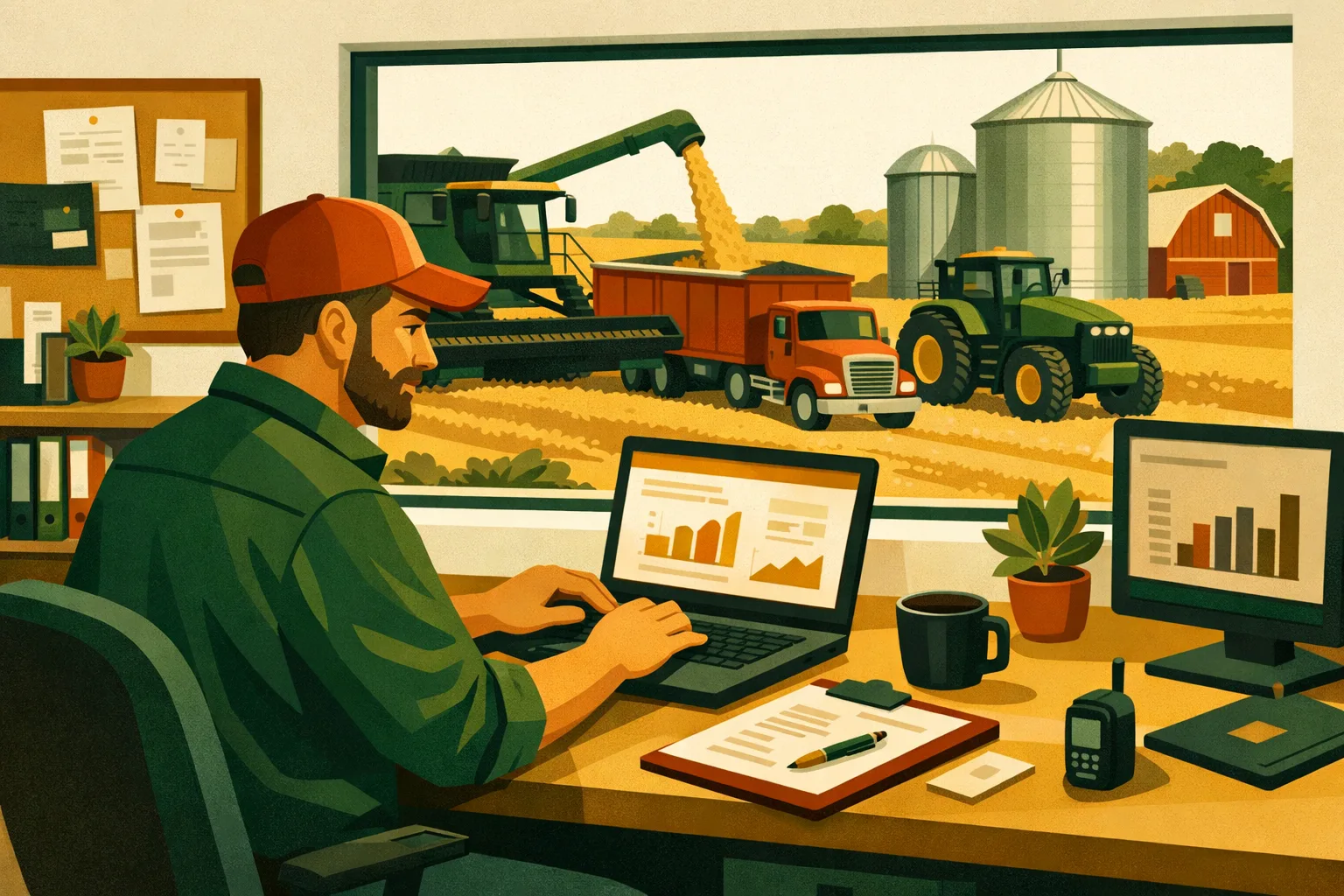
A clean set of books is not just for tax season. On a commercial farm, accounting affects input buying, crop marketing, equipment replacement, lender reporting, landlord settlements, payroll, enterprise analysis, and year-end planning. The right system should reduce duplicate entry, make field-level costs easier to track, and give managers a reliable view of cash before decisions are made in the shop, at the grain desk, or across the kitchen table.
Farm accounting programs are not all built for the same operation. A 75-acre specialty crop farm with payroll-heavy harvest labor has different needs than a 5,000-acre corn and soybean operation managing prepaid inputs, grain inventory, equipment loans, and multiple entities. This guide compares practical software options for commercial farm operators and explains where each one fits.
For more farm technology guides, see FarmsFlo’s software category and broader farm management resources.
What Farm Accounting Programs Need to Handle in 2026
Farm accounting has become more complex because operational decisions now move faster. Input pricing, land rent, crop sales, labor costs, financing, and compliance all require better financial visibility.
A general small-business accounting tool may work for some farms, but commercial operations often need additional features.
Core Capabilities to Look For
A useful farm accounting program should support:
- Enterprise-level tracking by crop, livestock group, field, block, orchard, greenhouse, or business unit
- Accrual and cash-basis reporting, depending on how the farm manages taxes and lender reporting
- Inventory accounting for grain, feed, seed, fertilizer, chemicals, fuel, parts, and livestock
- Cost allocation across fields, crops, entities, and equipment
- Payroll and contractor payments
- Loan tracking and depreciation support
- Bank feeds and reconciliations
- Budgeting and cash flow forecasting
- Multi-entity reporting for farms with separate land companies, operating entities, custom work, or livestock businesses
- Integration with farm management software, field records, or grain marketing tools
- Accountant access without constant file transfers
The goal is not to create more office work. The goal is to reduce manual entry, organize data once, and make financial information usable during the season.
Quick Comparison: 7 Farm Accounting Programs for Commercial Operations
Pricing changes often, and many vendors quote based on farm size, users, modules, or implementation needs. Treat the cost ranges below as planning estimates and confirm current pricing directly with each provider before purchase.
| Program | Best Fit | Strengths | Watchouts | Typical Setup Time | Budget Planning Range |
|---|---|---|---|---|---|
| QuickBooks Online | Small to mid-size diversified farms needing cloud accounting | Easy accountant access, bank feeds, payroll options, strong app ecosystem | Requires farm-specific chart of accounts and disciplined class/location tracking | 1–3 weeks | Low to moderate monthly subscription |
| QuickBooks Desktop Enterprise | Larger farms needing stronger inventory and job costing | More control, advanced reporting, familiar to many accountants | Desktop workflow, hosting may add cost, less farm-specific out of the box | 2–6 weeks | Moderate to higher annual subscription |
| CenterPoint Accounting for Agriculture | Crop, livestock, and diversified farms needing ag-specific accounting | Built for agriculture, strong enterprise tracking, inventory, production-oriented reporting | More setup depth; training is usually needed | 4–10 weeks | Moderate to higher software and support cost |
| Traction Ag | Row crop farms wanting accounting tied to field operations | Combines accounting, field records, payroll, and crop planning | Best fit is row-crop style operations; evaluate specialty/livestock fit carefully | 3–8 weeks | Subscription pricing; confirm modules |
| FarmBooks | Farms wanting straightforward desktop farm accounting | Farm-focused, practical for producers who want less complexity | Less modern cloud workflow than newer platforms | 1–4 weeks | Lower to moderate one-time or subscription-style cost depending on vendor offering |
| Figured | Farms using Xero or needing planning, budgeting, and livestock/crop performance | Strong forecasting and management reporting layered on accounting | Requires Xero; may be more planning-focused than transaction-entry focused | 2–6 weeks | Xero plus Figured subscription |
| Xero | Farms wanting cloud accounting with clean bank feeds and advisor collaboration | Strong cloud interface, bank reconciliation, accountant access | Needs farm chart of accounts and add-ons for deeper ag reporting | 1–3 weeks | Low to moderate monthly subscription plus add-ons |
1. QuickBooks Online: Practical Cloud Accounting for Small to Mid-Size Farms
QuickBooks Online is one of the most common accounting platforms used by farm businesses because it is accessible, familiar to many accountants, and relatively easy to start. It is not built specifically for agriculture, but it can work well when configured properly.
For farms that need bank feeds, invoicing, bill pay workflows, payroll options, and accountant access, QuickBooks Online can simplify daily accounting without requiring a specialized farm platform.
Where It Works Best
QuickBooks Online is usually a fit for:
- Grain farms with straightforward entities
- Specialty crop farms with payroll and vendor bills
- Livestock operations that do not need advanced inventory valuation inside the accounting system
- Custom operators billing for services
- Farms that work closely with an outside accountant
- Operations that want cloud access from multiple locations
It works especially well when the farm has someone responsible for weekly bookkeeping and the accountant helps structure the chart of accounts.
Key Features for Farm Use
Useful features include:
- Bank and credit card feeds
- Receipt capture
- Bill management
- Payroll options
- Class and location tracking on higher plans
- Budgeting
- Custom reports
- Accountant user access
- Integration with third-party apps
The most important setup decision is how you use classes, locations, customers, products, and projects. For example, a crop farm may use classes for enterprises such as corn, soybeans, wheat, hay, and custom work. A specialty crop farm may use locations for ranches, blocks, or markets.
Cost and Setup Expectations
For a commercial farm, setup usually takes 1–3 weeks if the chart of accounts is clear and historical cleanup is limited. Expect extra time if you are converting from spreadsheets or a messy desktop file.
Budget for:
- Monthly software subscription
- Payroll subscription if needed
- Bookkeeper or accountant setup time
- Possible third-party apps for inventory, bill pay, or reporting
QuickBooks Online is usually one of the lower-cost ways to modernize farm accounting, but it depends heavily on disciplined coding.
Farm Manager Takeaway
QuickBooks Online is a strong choice if you want easy cloud access and your farm accounting needs are manageable with a well-built chart of accounts. It is not the best fit if you need deep grain inventory, livestock accounting, or complex enterprise cost allocation without add-ons.
2. QuickBooks Desktop Enterprise: More Control for Inventory and Job Costing
QuickBooks Desktop Enterprise remains relevant for larger farms that prefer a desktop-style accounting environment and need more advanced inventory, reporting, or job costing than entry-level cloud systems provide.
Although many farms are moving to cloud software, Desktop Enterprise can still be useful for operations with a long-established QuickBooks process, in-house office staff, and more detailed transaction workflows.
Where It Works Best
QuickBooks Desktop Enterprise may fit:
- Larger crop farms with significant inventory tracking needs
- Farms managing parts, supplies, chemicals, and resale items
- Operations with established desktop processes
- Farms with in-house bookkeeping staff
- Businesses that want more customizable reporting than basic cloud packages
- Multi-division farms that need detailed job or class reporting
Some operations run Desktop Enterprise locally, while others use hosted desktop access. Hosting adds cost but gives users remote access.
Key Features for Farm Use
Useful features include:
- More advanced inventory than many basic accounting systems
- Class tracking
- Job costing
- Custom reporting
- Purchase orders
- Estimates and invoices
- Payroll options
- User permissions
- Accountant transfer options
Farm managers often use classes for crop enterprises, equipment, trucking, custom application, livestock groups, or business divisions. Jobs can be used for fields, landlord agreements, custom work customers, or construction projects.
Cost and Setup Expectations
Setup often takes 2–6 weeks, depending on inventory detail and reporting needs. A farm moving from a basic QuickBooks file may need chart-of-accounts cleanup, item list restructuring, and class tracking rules.
Budget for:
- Annual subscription
- Payroll if used
- Hosting if remote access is needed
- Accountant support
- Backup and file maintenance procedures
QuickBooks Desktop Enterprise can become complicated if every item, field, and activity is tracked in too much detail. The goal should be useful management reporting, not a system so detailed that staff stop entering data correctly.
Farm Manager Takeaway
QuickBooks Desktop Enterprise fits farms that want more control and deeper inventory than simple cloud tools provide. It is not as modern as fully cloud-based systems, but it can still perform well when managed by capable office staff.
3. CenterPoint Accounting for Agriculture: Built Specifically for Farm Businesses
CenterPoint Accounting for Agriculture by Red Wing Software is designed for farms and ranches rather than generic small businesses. That makes it one of the more purpose-built farm accounting programs for commercial operations.
The system supports crop and livestock enterprises, production tracking, inventory, and financial reporting in a farm-specific structure.
Where It Works Best
CenterPoint is a strong fit for:
- Crop farms needing enterprise analysis
- Livestock operations with production-related accounting needs
- Diversified farms with multiple profit centers
- Farms managing inventories of grain, feed, chemicals, seed, and fertilizer
- Operations that want farm-specific reports rather than adapting a general ledger
- Farms that need both cash and accrual management views
It is often considered by farms that have outgrown basic accounting software but do not want a large enterprise resource planning system.
Key Features for Farm Use
CenterPoint can help with:
- Farm-specific chart of accounts
- Production center tracking
- Crop and livestock enterprise reporting
- Inventory management
- Payroll integration or support options
- Depreciation tracking
- Budgeting
- Financial statements
- Cost center reporting
- Multi-company accounting
The value comes from having agricultural structure built into the system. For example, instead of forcing farm enterprises into generic departments, the software is designed to report by agricultural production activities.
Cost and Setup Expectations
CenterPoint usually requires more thoughtful implementation than a basic cloud accounting tool. Setup can take 4–10 weeks, especially for farms with multiple entities, complex inventories, or detailed enterprise reporting goals.
Budget for:
- Software licensing or subscription, depending on current vendor options
- Training
- Data conversion
- Support
- Staff time for setup decisions
- Accountant review of chart structure
The setup investment is higher, but it can reduce spreadsheet work later if the system is configured around how the farm actually operates.
Farm Manager Takeaway
CenterPoint is a serious option for farms that want agriculture-specific accounting and are willing to invest time in setup. It is better suited to operations that value enterprise reporting and inventory structure than farms simply looking for the cheapest bookkeeping tool.
4. Traction Ag: Accounting Connected to Field Operations
Traction Ag is designed for farm operators who want accounting, field records, payroll, crop planning, and operational data in a connected system. For row crop farms, that combination can reduce duplicate entry between the office and field records.
Instead of managing financials in one system and crop operations in another, Traction Ag aims to bring the workflow closer together.
Where It Works Best
Traction Ag is generally strongest for:
- Row crop operations
- Farms managing field-level profitability
- Operators who want accounting connected to crop records
- Farms replacing spreadsheets for input planning and application records
- Teams that need cloud access between managers, bookkeepers, and agronomists
- Operations looking for one platform rather than separate accounting and field systems
A corn, soybean, wheat, cotton, or similar row-crop operation may find the structure more natural than a highly diversified specialty crop or livestock-heavy business. Farms with non-row-crop enterprises should evaluate the fit carefully during demos.
Key Features for Farm Use
Traction Ag may support:
- General ledger accounting
- Accounts payable and receivable
- Payroll
- Field records
- Crop planning
- Input tracking
- Field-level cost analysis
- Equipment and labor tracking
- Reports for operational decision-making
The biggest advantage is reducing the gap between financial accounting and field-level management. Input purchases, application records, and field costs can be connected more directly than they are in a generic accounting system.
Cost and Setup Expectations
Implementation can take 3–8 weeks, depending on field data, accounting history, user training, and whether payroll is included.
Budget for:
- Subscription cost based on modules or farm needs
- Data setup for fields, crops, inputs, and vendors
- Training for office and field staff
- Cleanup of old accounting categories
- Time to establish field-cost tracking rules
The farm should assign one lead person to own implementation. If field names, crop years, input names, and account categories are inconsistent, setup will take longer.
Farm Manager Takeaway
Traction Ag is a strong candidate for row crop farms that want accounting and field operations in one connected workflow. Its value depends on accurate field setup and consistent in-season use.
5. FarmBooks: Straightforward Farm Accounting Without Excess Complexity
FarmBooks is a farm-focused accounting system aimed at producers who want agricultural bookkeeping without the complexity of larger software platforms. It is often attractive to farms that want something more specific than a generic small-business tool but do not need a full operational management suite.
For many commercial farms, the office problem is not lack of features. It is software that is too complex for the person actually doing the books. FarmBooks can be a fit where simplicity matters.
Where It Works Best
FarmBooks may fit:
- Small to mid-size farms
- Family-run commercial operations
- Farms transitioning from spreadsheets or manual records
- Operations needing farm categories without a large implementation
- Producers who prefer desktop-style systems
- Farms with relatively straightforward inventory and enterprise needs
It is not usually the first choice for very large operations with multiple entities, extensive integrations, or advanced inventory workflows. But it can perform well for farms that need clean records, tax-ready reports, and basic management insight.
Key Features for Farm Use
FarmBooks commonly supports:
- Farm income and expense tracking
- Schedule F-oriented reporting
- Checking and credit card records
- Vendor and customer tracking
- Enterprise categories
- Payroll-related functions or reports, depending on setup
- Basic financial statements
- Accountant-friendly reports
For producers who want a practical farm bookkeeping tool, the learning curve may be easier than configuring a general accounting platform from scratch.
Cost and Setup Expectations
Setup may take 1–4 weeks. Farms with simple records can move faster, while those converting years of spreadsheet history should expect more time.
Budget for:
- Software cost
- Support or training
- Data entry time
- Accountant review
- Backup procedures if using desktop software
The lower setup burden can be appealing, but the farm should still build a clear chart of accounts and decide how enterprises will be tracked before entering a season’s worth of transactions.
Farm Manager Takeaway
FarmBooks is a practical option when a farm wants agriculture-oriented accounting without a heavy software rollout. It works best when the operation values simplicity over advanced integrations.
6. Figured: Farm Planning and Reporting Built Around Xero
Figured is a farm financial management and planning platform that works with Xero. It is commonly used to add agricultural budgeting, forecasting, production tracking, and management reporting on top of a cloud accounting foundation.
If your farm already uses Xero or wants strong financial planning tools, Figured deserves a close look.
Where It Works Best
Figured may fit:
- Farms that want better forecasting and budget management
- Operations working closely with farm advisors or accountants
- Livestock and crop farms needing production-linked financial reports
- Farms using Xero as the accounting ledger
- Managers who want scenario planning for cash flow, livestock, crops, or financing
- Operations that need more forward-looking reporting than standard bookkeeping provides
Figured is not simply a transaction-entry accounting program. It is strongest when used as a management layer that turns accounting data into planning information.
Key Features for Farm Use
Figured can support:
- Farm budgeting
- Cash flow forecasting
- Crop and livestock planning
- Scenario modeling
- Production tracking
- Management reports
- Advisor collaboration
- Integration with Xero accounting data
This can help managers look ahead instead of only reviewing last month’s transactions. For example, a farm can model input purchases, expected crop income, livestock sales, debt payments, and capital expenditures in one planning process.
Cost and Setup Expectations
Setup typically takes 2–6 weeks, depending on the farm’s Xero setup and planning complexity.
Budget for:
- Xero subscription
- Figured subscription
- Advisor or accountant setup time
- Initial budget buildout
- Training for users
- Ongoing forecast updates
Farms should not buy planning software unless someone will update the forecast regularly. A stale forecast becomes another spreadsheet with a login.
Farm Manager Takeaway
Figured is a good fit for farms that want cloud accounting plus stronger forecasting and advisor collaboration. It is especially useful when management wants to make decisions using projected cash flow, not only historical income and expenses.
7. Xero: Clean Cloud Accounting With Room for Farm Add-Ons
Xero is a cloud accounting platform known for bank feeds, reconciliation, collaboration, and a clean user interface. Like QuickBooks Online, it is not farm-specific by default, but it can work well with a properly designed chart of accounts and agricultural add-ons such as Figured.
For farms that want cloud access and accountant collaboration without being tied to a desktop file, Xero is a practical option.
Where It Works Best
Xero may fit:
- Farms with a strong outside accountant or advisor
- Operations that want cloud bank reconciliation
- Farms using add-ons for budgeting, inventory, or farm management
- Multi-user offices
- Businesses that need clean financial statements and efficient bookkeeping
- Farms that prefer the Xero ecosystem over QuickBooks
Xero can work across crop, livestock, and specialty operations, but it requires careful setup to produce meaningful farm management reports.
Key Features for Farm Use
Useful features include:
- Bank feeds
- Fast reconciliation
- Invoicing
- Bill entry
- Purchase tracking
- Financial statements
- Tracking categories
- Accountant access
- Integrations with payroll, reporting, and farm planning apps
Tracking categories can help separate enterprises, locations, or business divisions. However, farms should plan the structure before transactions begin.
Cost and Setup Expectations
Setup usually takes 1–3 weeks for a clean operation and longer if historical conversion is messy.
Budget for:
- Monthly Xero subscription
- Payroll or add-on tools if needed
- Farm planning app subscription if using Figured or similar tools
- Accountant setup support
- Training for the person handling weekly reconciliations
Xero can be cost-effective, but deep farm reporting often requires add-ons or advisory support.
Farm Manager Takeaway
Xero is a strong cloud accounting base for farms that want clean bookkeeping and advisor collaboration. It becomes more farm-specific when paired with the right chart of accounts and planning tools.
How to Choose the Right Farm Accounting Program
The best software choice depends less on brand name and more on how your farm makes money, spends money, and manages decisions. A program that works for a 300-acre vegetable farm may frustrate a 4,000-acre grain operation. A platform built for field-level row crop costs may not fit a livestock-heavy business.
Start With the Management Questions You Need Answered
Before comparing demos, write down the questions your accounting system must answer.
Examples:
- What is our cost per acre by crop?
- Which landlords, fields, or blocks are profitable?
- How much prepaid input remains unused?
- What is our true machinery cost by enterprise?
- How much cash do we need before harvest income arrives?
- Are custom work jobs priced correctly?
- How do operating loans, equipment notes, and land payments affect monthly cash flow?
- What is our breakeven price for stored grain or marketed livestock?
- Which enterprise should receive capital investment next year?
If the software cannot answer the questions that drive management decisions, it will become only a tax tool.
Match Software to Farm Complexity
Use this practical guide:
Basic Complexity
A farm with one entity, a few enterprises, limited payroll, and straightforward reporting may be fine with:
- QuickBooks Online
- Xero
- FarmBooks
Moderate Complexity
A farm with multiple enterprises, some inventory tracking, payroll, loans, and management reporting may need:
- QuickBooks Desktop Enterprise
- CenterPoint
- Traction Ag
- Xero plus Figured
- QuickBooks Online with strong advisor setup
High Complexity
A farm with multiple entities, detailed field-level costs, complex inventories, livestock production, custom work, and lender reporting should evaluate:
- CenterPoint
- Traction Ag
- QuickBooks Desktop Enterprise with careful structure
- Xero plus Figured and advisor support
- A broader farm management system integrated with accounting
For additional operational software guidance, visit FarmsFlo’s software resources.
Practical Checklist: Selecting and Implementing Farm Accounting Software
Use this checklist before signing a contract or moving your books.
Step 1: Define Your Accounting Goals
- Identify the top five management reports you need.
- Decide whether you need cash-basis, accrual, or both.
- List all entities, bank accounts, credit cards, and loans.
- List crop, livestock, custom work, and other enterprises.
- Decide how detailed field, block, or herd tracking must be.
- Identify who will enter transactions each week.
Time estimate: 2–4 hours for a simple farm; 1–2 days for a complex multi-entity operation.
Step 2: Clean Up Your Current Records
- Reconcile all bank and credit card accounts.
- Remove duplicate vendors and customers.
- Review old accounts that are no longer used.
- Separate personal and business transactions.
- Confirm loan balances.
- Review prepaid expenses and inventories.
- Export reports from your current system before conversion.
Time estimate: 1–3 days if records are current; several weeks if books are behind.
Step 3: Build a Farm-Specific Chart of Accounts
- Separate operating income from other income.
- Group seed, fertilizer, chemical, feed, fuel, repairs, labor, rent, insurance, utilities, interest, and depreciation logically.
- Use enterprise tracking for crops, livestock, custom work, and other profit centers.
- Avoid creating so many accounts that reports become unreadable.
- Confirm structure with your accountant before the season begins.
Cost estimate: If using outside help, expect several hours of accountant or consultant time. Complex farms may need a larger setup project.
Step 4: Test With Real Transactions
- Enter one input invoice.
- Enter one crop sale or livestock sale.
- Enter one payroll or contractor payment.
- Record one equipment loan payment.
- Allocate one shared cost across enterprises.
- Run a profit and loss report.
- Run a cash flow report.
- Confirm reports make sense to the manager, not just the bookkeeper.
Time estimate: Half day to 2 days.
Step 5: Train the People Who Will Use It
- Train office staff on transaction entry.
- Train managers on reports and dashboards.
- Create coding rules for common expenses.
- Document month-end reconciliation steps.
- Decide who approves bills, payroll, and transfers.
- Schedule a 30-day review after launch.
Time estimate: 2–8 hours for simple systems; multiple sessions for larger platforms.
Common Mistakes When Buying Farm Accounting Programs
Software problems are often management-process problems. Avoid these common mistakes.
Mistake 1: Choosing Based Only on Price
Cheap software becomes expensive if it creates bad reports, duplicate data entry, or accountant cleanup work. Compare total cost, including training, setup, add-ons, and staff time.
Mistake 2: Tracking Too Much Detail
Field-level costs are useful only if the data is entered correctly. If your staff cannot keep up with detailed coding during planting or harvest, simplify the structure.
Mistake 3: Ignoring Inventory
Many farm financial surprises come from inventory: grain in storage, prepaid fertilizer, chemical carryover, feed, seed, fuel, parts, and livestock. If inventory is material to your operation, make sure the software can handle it or that you have a reliable supporting process.
Mistake 4: Leaving the Accountant Out Until Year-End
Your accountant should review the chart of accounts, tax categories, depreciation workflow, and entity structure before the system goes live. Fixing structure after hundreds of transactions are entered is avoidable office work.
Mistake 5: Treating Software as a One-Time Setup
Farm accounting systems need maintenance. New enterprises, new landlords, equipment purchases, loans, employees, and marketing arrangements all affect the books. Schedule periodic reviews.
Cost and Time Planning for a Farm Accounting Software Change
A software switch can be simple or painful depending on preparation. Commercial farms should treat implementation like an operational project, not a side task for a rainy afternoon.
Typical Cost Categories
Plan for:
- Software subscription or license
- Payroll module or provider
- Add-on tools for inventory, forecasting, bill pay, or field records
- Data migration
- Accountant review
- Staff training
- Temporary duplicate entry during transition
- Ongoing support
The lowest subscription price is not always the lowest total cost. A farm-specific program with higher upfront setup may save office time if it eliminates spreadsheets and duplicate records.
Typical Implementation Timeline
A realistic timeline:
- Simple cloud setup: 1–3 weeks
- Desktop or inventory-heavy setup: 2–6 weeks
- Farm-specific platform with enterprise reporting: 4–10 weeks
- Multi-entity, multi-enterprise conversion: 2–4 months if historical cleanup is required
Do not switch systems during planting, harvest, calving, shipping peaks, or year-end tax crunches unless there is no alternative.
Best Time to Switch
The cleanest time to switch is usually:
- At the start of a fiscal year
- After year-end books are finalized
- Before heavy seasonal transactions begin
- Before a new crop year’s input purchases are recorded
- After loan balances and inventory are confirmed
If you switch mid-year, document exactly how beginning balances, inventories, unpaid bills, open invoices, and payroll data will move.
Which Program Should Different Farm Types Consider?
Row Crop Farms
Good candidates:
- Traction Ag
- CenterPoint
- QuickBooks Desktop Enterprise
- QuickBooks Online with strong class tracking
- Xero plus Figured
Key needs:
- Cost per acre
- Field-level inputs
- Prepaid expenses
- Grain inventory
- Equipment cost tracking
- Cash flow through harvest
Livestock Operations
Good candidates:
- CenterPoint
- Figured with Xero
- QuickBooks Desktop Enterprise
- FarmBooks for simpler operations
Key needs:
- Feed inventory
- Livestock groups
- Veterinary costs
- Breeding stock and market livestock distinction
- Payroll
- Production-linked reporting
Specialty Crop Farms
Good candidates:
- QuickBooks Online
- Xero
- CenterPoint
- QuickBooks Desktop Enterprise
Key needs:
- Labor tracking
- Packaging and supplies
- Market channels
- Block, variety, or crop tracking
- Food safety-related cost records
- Accounts receivable from buyers
Diversified Farms
Good candidates:
- CenterPoint
- QuickBooks Desktop Enterprise
- Xero plus Figured
- QuickBooks Online if structure is disciplined
Key needs:
- Multiple enterprises
- Shared overhead allocation
- Payroll and contractors
- Inventory
- Separate reporting by business unit
- Multi-entity management
Questions to Ask During a Software Demo
Do not sit through a generic sales demo. Bring your farm’s real scenarios.
Ask these questions:
- Can the software track profit and loss by crop, field, herd, block, or enterprise?
- How are prepaid inputs handled?
- Can we track grain, feed, livestock, or supply inventory?
- Can we run both cash-basis and accrual-style reports?
- How does the system handle multiple entities?
- Can our accountant access the file directly?
- What reports do commercial farm customers use most?
- How does payroll connect to enterprises or jobs?
- Can costs be split across fields or crops?
- What happens if we change field names or enterprise structure next year?
- What data can be imported from our current system?
- What support is included during implementation?
- How long does a typical farm setup take?
- What does the software not do well?
The last question is one of the most useful. Every system has limits. Better to find them before migration.
Final Recommendation for Farm Operators
For many farms, the right choice will fall into one of four paths:
- Lowest-friction cloud accounting: QuickBooks Online or Xero
- More inventory and desktop control: QuickBooks Desktop Enterprise
- Agriculture-specific accounting: CenterPoint or FarmBooks
- Accounting connected to field operations or planning: Traction Ag or Figured with Xero
The best farm accounting programs are the ones your team will actually use every week. Good software should make it easier to reconcile accounts, review margins, understand cash flow, and prepare for tax and lender conversations. If the system requires heroic effort to maintain, it will fail no matter how strong the feature list looks.
Before buying, define your reports, clean your records, involve your accountant, and test the workflow with real farm transactions. That process will reveal the right fit faster than comparing feature lists alone.
How FarmsFlo Helps
FarmsFlo helps commercial farm teams organize operations, reduce scattered records, and improve day-to-day management across the business. Accounting software is only one part of the system. Farms also need reliable workflows for tasks, field activity, equipment, staff communication, records, and management follow-through.
Use FarmsFlo alongside your accounting program to keep operational data moving cleanly from the field to the office. When tasks, responsibilities, and records are organized, the financial side becomes easier to manage.
If your farm is ready to streamline operations before another busy season, start a trial at farmsflo.com.